

How TorchTiger Engineer Works
Research first. Change with approval. Revert from the change log.
Every step below was captured on a real ServiceNow instance, from the first question to the rollback.
The TorchTiger Engineer Workflow, Step by Step
A Chrome and Edge extension that runs on ServiceNow dev instances it can confirm are non-production, with your own Anthropic API key. Research in plain English, approve before any change, log each edit, and revert from the change log.
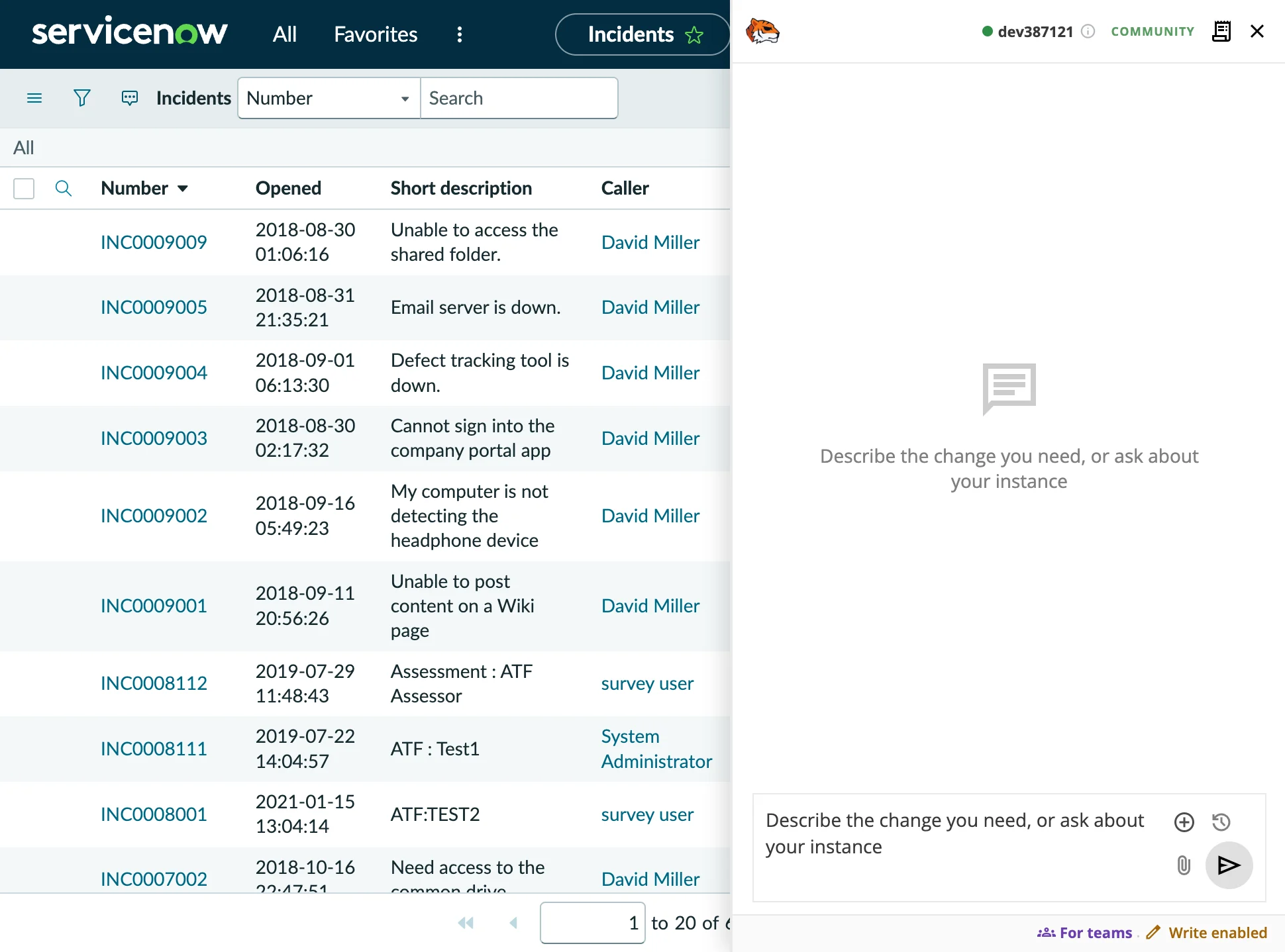
It Runs Right Alongside ServiceNow
Install the free extension and connect your own Anthropic key. A chat panel opens on any ServiceNow page, riding your signed-in session — no plugin, no ServiceNow credentials.
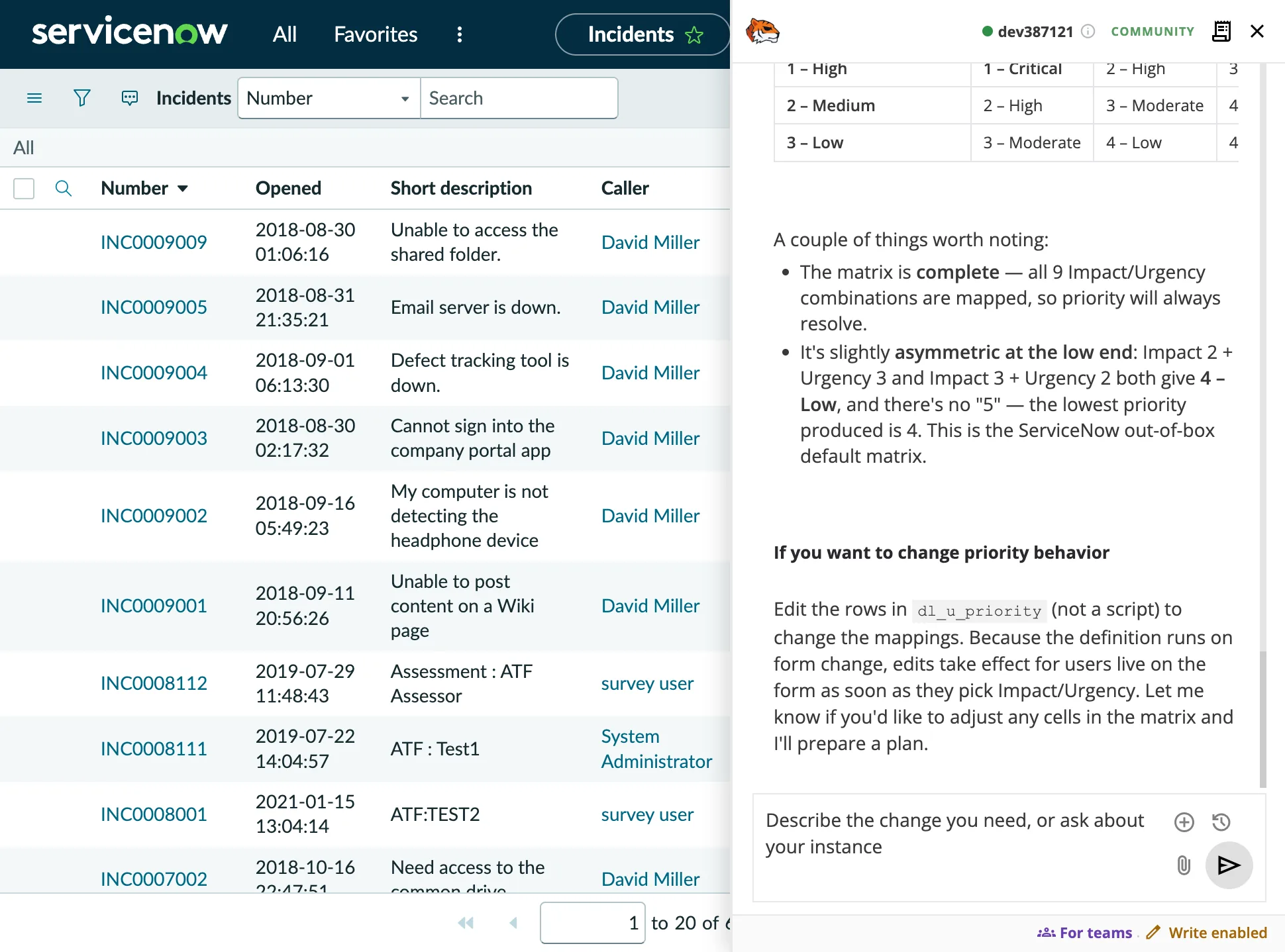
Ask Anything About Your Instance
Ask in plain English. It searches business rules, client scripts, script includes, UI policies, and flows, then traces how they connect.
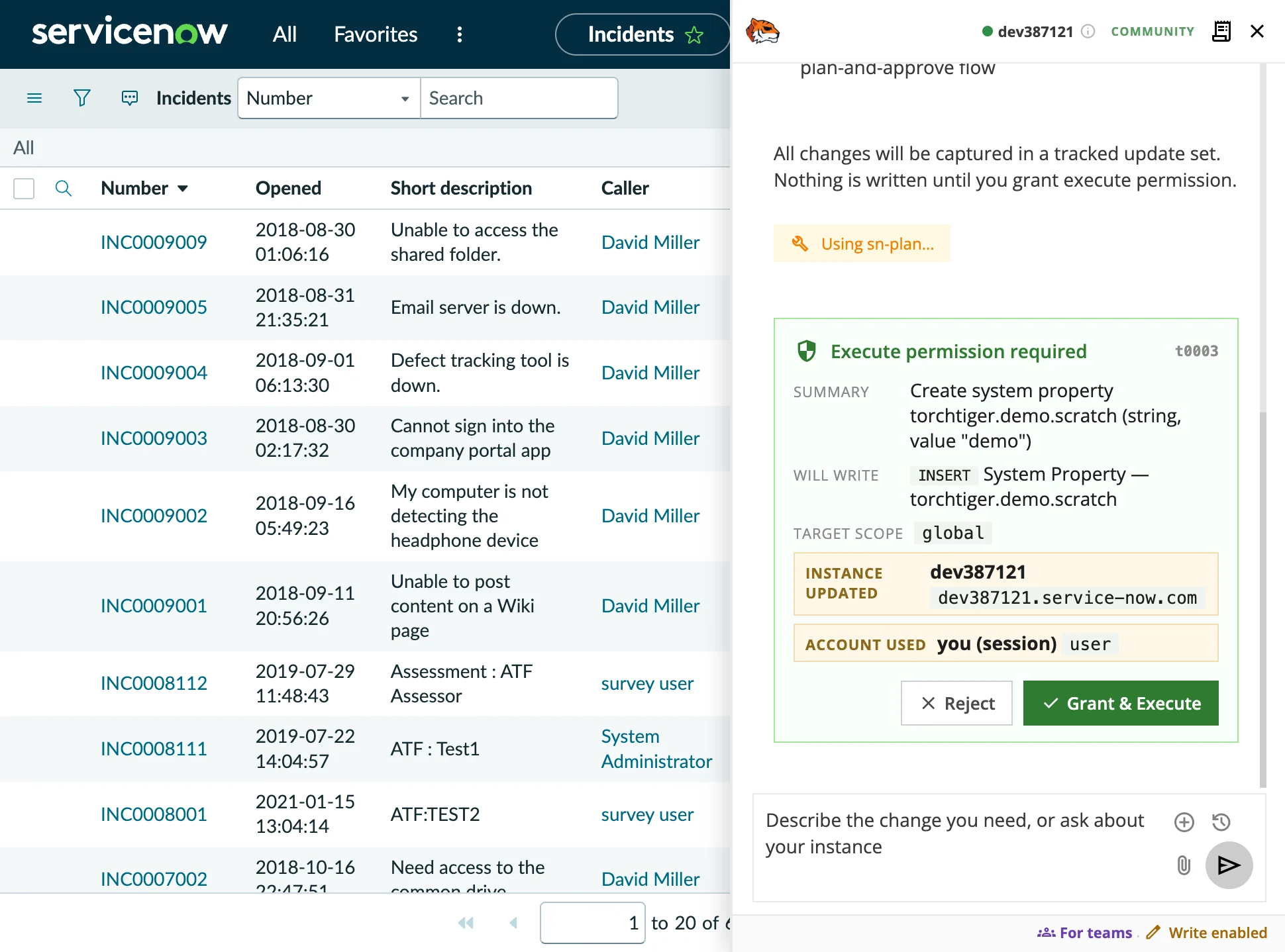
Nothing Changes Without Your Say-So
Turn on AI write mode and it proposes a plan first. Nothing is created, updated, or deleted until you approve, and one approval covers every write in that turn.
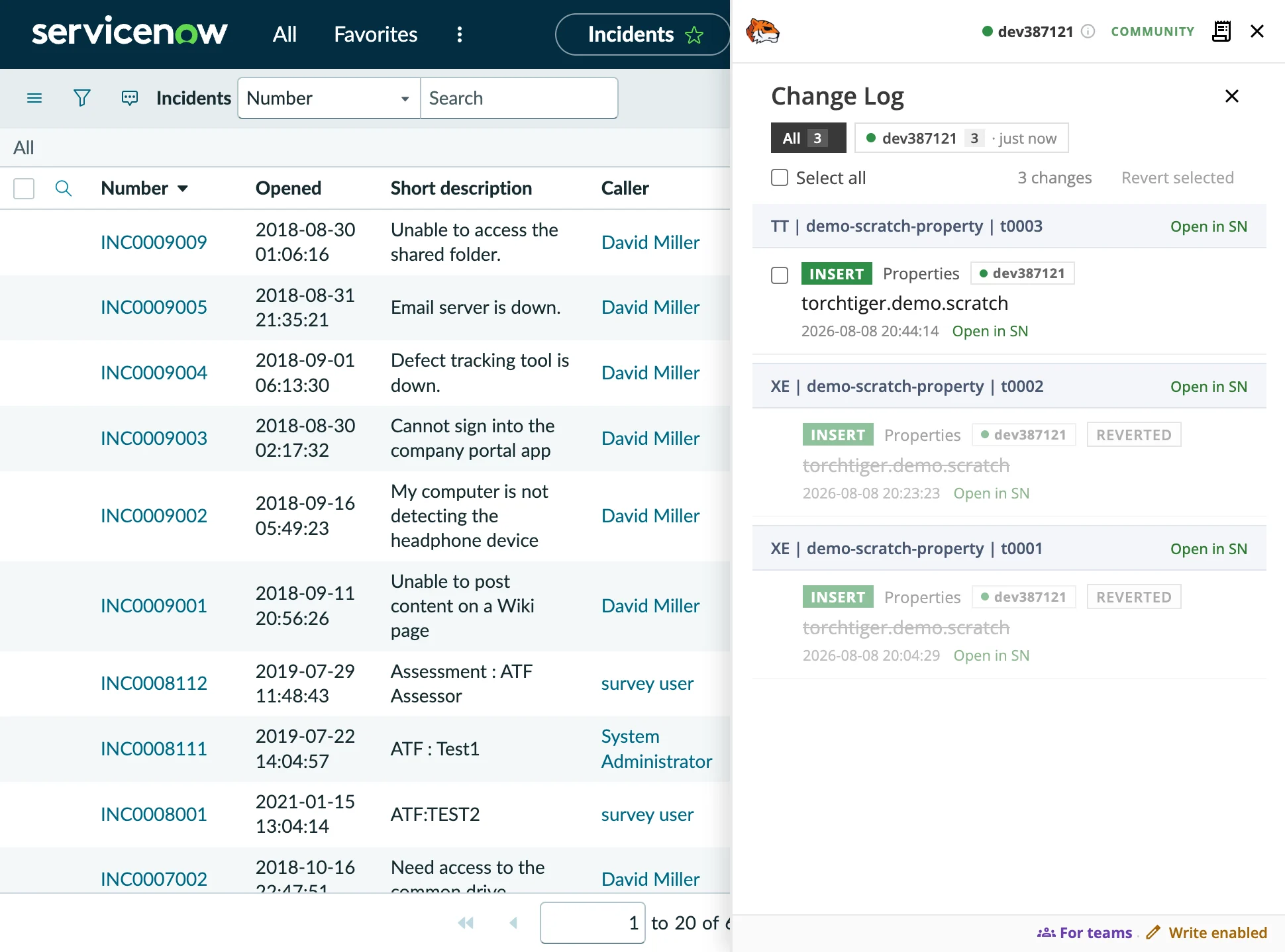
Every Change, Tracked
The change log records every change it makes, grouped by the update set its plan created. You always know what was created, updated, or deleted.
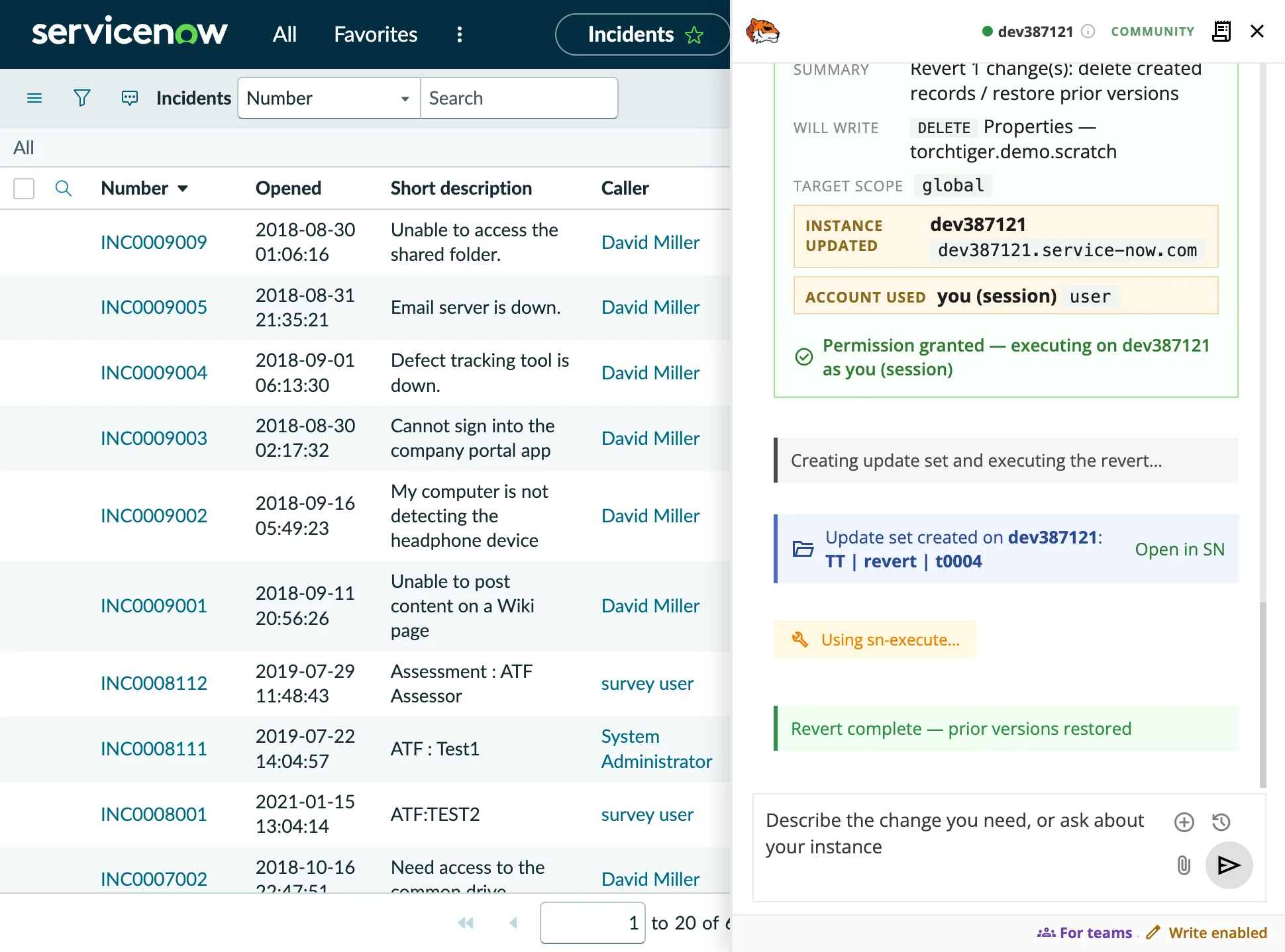
Undo With Confidence
Select a logged change and undo it: Engineer reverses it from what it saved at the time, through ServiceNow’s Table API, after you approve. Updates, new records, and deletions all revert.
What You Need
Lightweight by design
Chrome or Edge
v120+
Installs as a browser extension in Google Chrome or Microsoft Edge.
A Dev Instance
Dev or Sub-Production
Any development or sub-production ServiceNow instance you can sign in to, if your role can read its instance type. Never production.
Your Claude
Key, Gateway, or Cloud
Community: your own Anthropic key, encrypted at rest under a passphrase you set. Team (launching soon): your team's AI profile — Anthropic, Amazon Bedrock or gateway.
Common Questions
Does TorchTiger Engineer run on production?
No. It runs only on development and sub-production instances. On production its AI switches off: no chat, no reads, no writes; the extension only reads the instance’s settings to tell production apart. It also stays off on any instance it can’t confirm is non-production. It works through ServiceNow’s standard Table API, with nothing to install on the instance.
Do I need to install a ServiceNow plugin?
No. TorchTiger Engineer installs as a browser extension and opens a chat panel on any ServiceNow page, riding your existing signed-in session. There is no plugin to install and no credentials to enter inside ServiceNow.
Where does my Anthropic API key go?
On the free Community Edition you bring your own Anthropic key: it’s encrypted at rest under a passphrase you set and sent only to Anthropic. On Team, members use the connection in the AI profile your admin assigns — the Anthropic API, Amazon Bedrock, or your own gateway.
Which browsers are supported?
TorchTiger Engineer installs as an extension in Google Chrome or Microsoft Edge, version 120 or newer.
Can TorchTiger Engineer change my instance without permission?
Only with your approval. Write mode is off by default. When it is on, it proposes a plan first, and nothing is created, updated or deleted until you approve. In write mode it may switch your current application scope without asking. On Team, your admin decides which instances allow writes.
Try It on Your Own Instance
The free Community Edition is coming soon to the Chrome Web Store. For your organisation, Team ($20/dev/mo) is launching soon.
Notify Me About Community- Free Community Edition — no credit card
- Your Anthropic key is sent only to Anthropic
- Write mode is off by default
- Undo logged changes, with your approval