

Walkthrough · 1:30 ·
Add a Request Info Button to Service Operations Workspace
TorchTiger Engineer adds a workspace button that saves a note as a comment and puts the incident on hold, after you approve its plan.
One UI action with a pop-up: the note goes into Additional comments and the incident goes On Hold, awaiting caller. TorchTiger Engineer revised its plan after you rejected the first one, then wrote it once you approved.
Transcript
- 0:00
You're working an incident in Service Operations Workspace and need more from the caller. But none of these buttons asks for a note, adds it to Additional comments and puts the incident on hold.
- 0:10
So you ask TorchTiger Engineer, the AI assistant for ServiceNow developers.
- 0:14
Before planning, it looks into your instance, and it has found the values it needs for On Hold and Awaiting Caller.
- 0:21
It studies an existing workspace button and checks each field against the instance's rules, then proposes one UI action and writes nothing until you grant.
- 0:29
You stay in control and press Reject: Request info needs a small i, and the pop-up's confirm button should say Submit.
- 0:37
It agrees: the button's label comes from its name, so it will match your wording.
- 0:42
It confirms on the web how to label the Submit button, and returns a revised plan.
- 0:48
Everything it writes goes into a new update set.
- 0:51
With your go-ahead, it writes the update set, then the button, and compares the saved record with its plan: every field came through.
- 1:00
Back in the workspace, Request info sits among the other buttons, and one click opens a pop-up for your message to the caller.
- 1:07
Cancel changes nothing, so you open it again and type your note.
- 1:12
On Submit, the note goes in as a public comment and appears in the activity stream.
- 1:18
The incident went from In Progress to On Hold.
- 1:22
The classic form agrees: on hold, waiting for the caller, just as you wanted.
- 1:27
Try TorchTiger Engineer yourself, at torchtiger dot com.
-
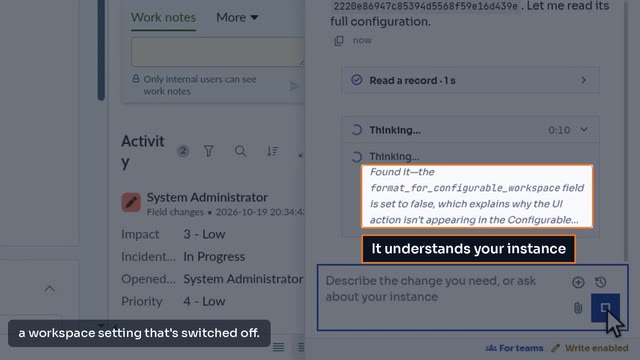
ServiceNow UI Action Missing in Workspace: Find Why, Fix It
TorchTiger Engineer finds why a team's Escalate button is missing in Service Operations Workspace, then adds it there once you approve its plan.
Ask Your Own Instance
The free Community Edition runs in Chrome or Edge on your own Anthropic key. Try the same question on your dev instance.
Get the Community Edition- Free — bring your own Anthropic key
- Read-only by default
- Plan & approve before any AI change
- Locked out of production