

Walkthrough · 1:29 ·
ServiceNow® Workspace UI Action With a Pop-up
TorchTiger Engineer adds a Request info button to Service Operations Workspace, with a note pop-up, once you approve its revised plan.
One UI action adds Request info to the workspace header: its pop-up adds your note as a comment and puts the incident on hold. TorchTiger Engineer looked up the instance's On Hold and Awaiting Caller values, and revised its plan when you rejected it. It wrote nothing until you pressed Grant and Execute.
Video Transcript
- 0:00
You're on an incident in Service Operations Workspace, and want a button that asks for a note, adds it as a comment and puts the incident on hold. None exists.
- 0:07
You ask TorchTiger Engineer, an AI assistant for ServiceNow developers, to build it, and spell out the pop-up and the hold.
- 0:15
Before it plans, it looks up your instance's incident choices, and pins down the values behind On Hold and Awaiting Caller.
Full transcript (18 lines)
- 0:22
Then it studies a workspace button already here.
- 0:25
It plans one UI action that runs in the browser, writing nothing until you grant it.
- 0:30
You reject it, and explain that you want Request info with a lower-case i.
- 0:35
And the pop-up's button should say Submit.
- 0:38
It notes that the Name field sets the button's text, then checks online how to apply that Submit label.
- 0:44
Then the revised plan comes back with both of your points, and it waits for you again.
- 0:50
It'll write to a new update set, in global scope.
- 0:54
You press Grant and Execute, and it creates that set first, then adds the button.
- 1:00
It rereads the button: all thirteen fields kept.
- 1:03
Request info now sits in the workspace header.
- 1:06
You click it yourself, and a pop-up opens, asking what to tell the caller.
- 1:11
Cancel leaves it In Progress. Next, you type the caller a question about their laptop, and press Submit.
- 1:19
The note now shows in the activity stream.
- 1:22
And the classic form has the same incident on hold, waiting on its caller.
- 1:26
Try it on your dev instance: torchtiger dot com.
-

Introducing TorchTiger Engineer: AI Coworker for ServiceNow®
TorchTiger Engineer explains a demo ServiceNow app, runs the Store readiness checks, fixes one line once you approve, and answers a support question.
-
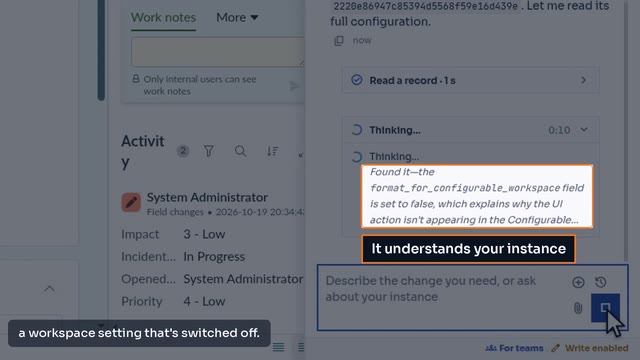
ServiceNow UI Action Missing in Workspace: Find Why, Fix It
TorchTiger Engineer finds why a team's Escalate button is missing in Service Operations Workspace, then adds it there once you approve its plan.
Ask Your Own Instance
The free Community Edition runs in Chrome or Edge on your own Anthropic key. Try the same question on your dev instance.
Get the Community Edition- Free — bring your own Anthropic key
- Read-only by default
- Plan & approve before any AI change
- Locked out of production