

Walkthrough · 1:30 ·
ServiceNow® UI Action Missing in Workspace? Reuse It
TorchTiger Engineer finds why Escalate is missing in Service Operations Workspace, then reuses the button once you grant its plan.
TorchTiger Engineer read the Escalate UI action's record and said the cause was its workspace setting, switched off. It searched the web twice and planned a new workspace script, keeping the classic form unchanged. It wrote nothing until the developer pressed Grant and Execute. Escalate then showed in Service Operations Workspace and saved the reason as a work note.
Video Transcript
- 0:01
I asked an AI, TorchTiger Engineer, why our Escalate button was missing in ServiceNow Service Operations Workspace.
- 0:07
On the classic form, it was right in the header.
- 0:11
But in the workspace, it wasn't there.
Full transcript (21 lines)
- 0:13
First, TorchTiger read the button's record.
- 0:16
It said the cause was a workspace setting, switched off.
- 0:21
So I asked it to make Escalate work here, and leave the classic one alone.
- 0:26
Before planning, it searched the web twice.
- 0:30
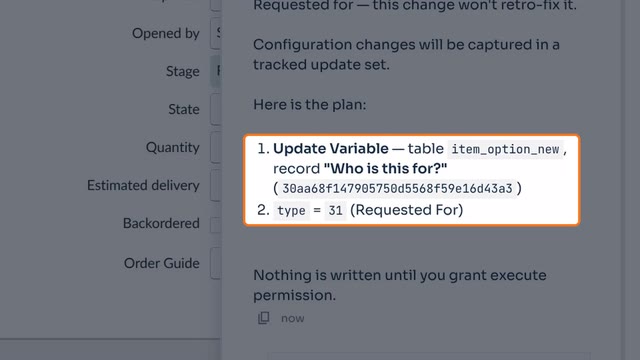
Its plan reused the button with a new workspace script, and kept the classic form unchanged.
- 0:36
Nothing got written until I pressed Grant and Execute.
- 0:39
I granted it, and it ran as me.
- 0:43
It made the change, then read all three fields back.
- 0:48
To check the button, it first needed the workspace's URL path.
- 0:52
But TorchTiger looked up the workspace's URL path in a table this instance doesn't have.
- 0:57
Right idea, wrong table.
- 1:00
So it tried another table, and found the path there.
- 1:04
To test the change, I reopened the incident in the workspace.
- 1:08
This time, the Escalate button was there.
- 1:11
I clicked it, and it asked me for a reason.
- 1:14
I typed VIP caller, then pressed OK.
- 1:17
My reason became a work note, so Escalate works here too.
- 1:24
Try it on your own developer instance, at TorchTiger dot com.
-
ServiceNow® Catalog Item With a Manager Approval Flow
TorchTiger Engineer, an AI coworker, reads first, plans, waits for your grant, builds a catalog item with manager approval, and admits a wrong report.
-

Introducing TorchTiger Engineer: AI Coworker for ServiceNow®
TorchTiger Engineer explains a demo ServiceNow app, runs the Store readiness checks, fixes one line once you approve, and answers a support question.
Ask Your Own Instance
The free Community Edition runs in Chrome or Edge on your own Anthropic key. Try the same question on your dev instance.
Get the Community Edition- Free — bring your own Anthropic key
- Read-only by default
- Plan & approve before any AI change
- Locked out of production